# 11. Using the Remote Control

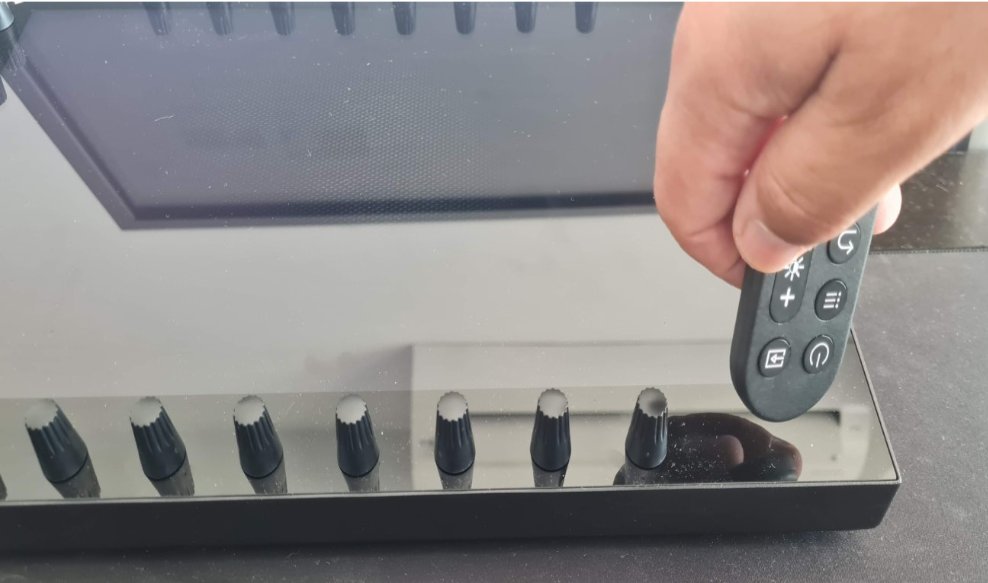
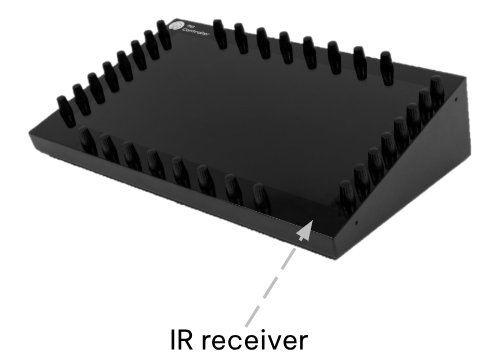
<div id="bkmrk-after-connecting-the"> Point the remote control to the IR receiver of the unit and press he power button on the remote control.</div><table id="bkmrk--8"><tbody><tr><td dir="ltr">![](https://kb.mpmidi.com/storage/uploads/images/gallery/2025-04/1745653907-W9nkj9IOXYQoohLV.jpg)</td><td>![](https://kb.mpmidi.com/storage/uploads/images/gallery/2025-04/1745653908-zwUVGwVRCVg05IoF.jpg)</td></tr></tbody></table>

<p class="callout info">Here is how to check that the remote control is working properly.  
The remote control light is infrared and can't be seen.   
Go into a relatively dark room and open your mobile/cell phone camera.   
Point the remote to the camera, and press a button on the remote control.  
You would see a light blinking in the camera.  
See instructional video [here](https://drive.google.com/file/d/1VAJktDCLZiq-y-Zf6PxZPnfpTir_w-BE/view?usp=sharing)</p>