# 22. Get the mph.license from the user portal

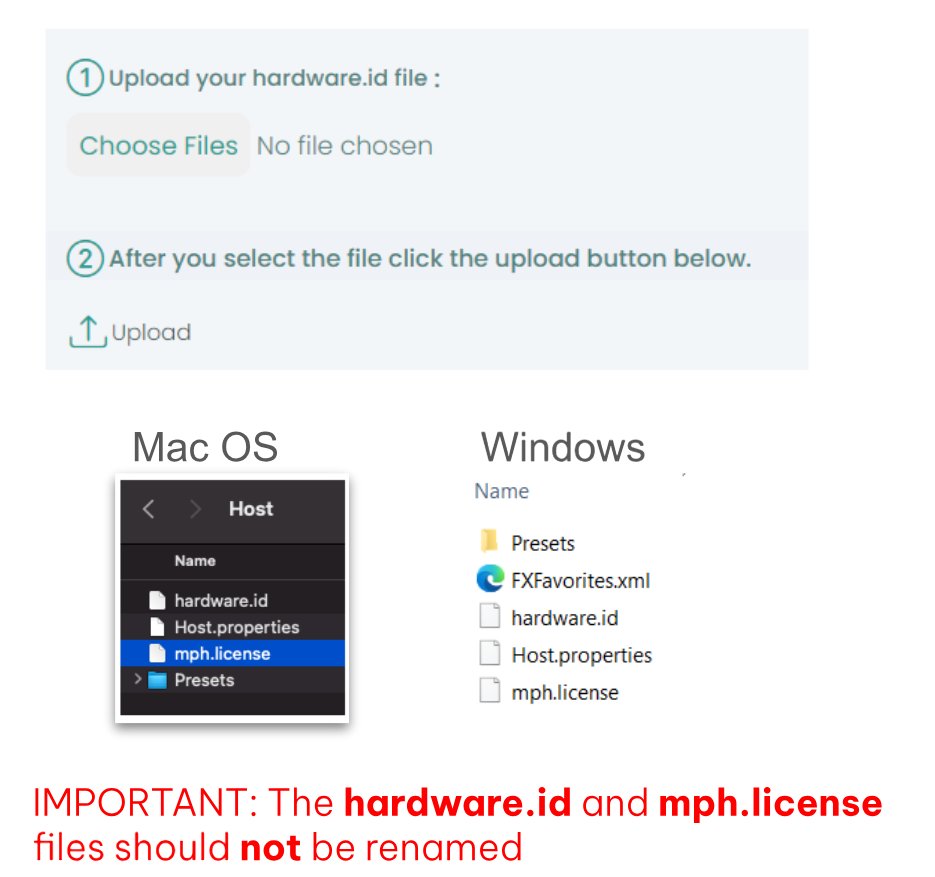
<span dir="ltr">Open the /MP/Host folder as shown [**here**](https://kb.mpmidi.com/books/mp-controller-documentation/page/4-show-preset-folder-go-to-the-mphost-properties-folder) and upload your hardware.id file in the user portal</span>

<span dir="ltr">The hardware.id file is automatically generated when you run the MP Host plugin.</span>

<p class="callout info"><span dir="ltr">If the hardware.id file is **not** being copied to the Mac's Desktop when trying to setup for the first time, see [here](https://kb.mpmidi.com/books/mp-controller-documentation/page/2-mac-license-not-found)</span></p>

![](https://kb.mpmidi.com/storage/uploads/images/gallery/2025-04/1745645061-d05ZhHHxRpULzo8x.jpg)

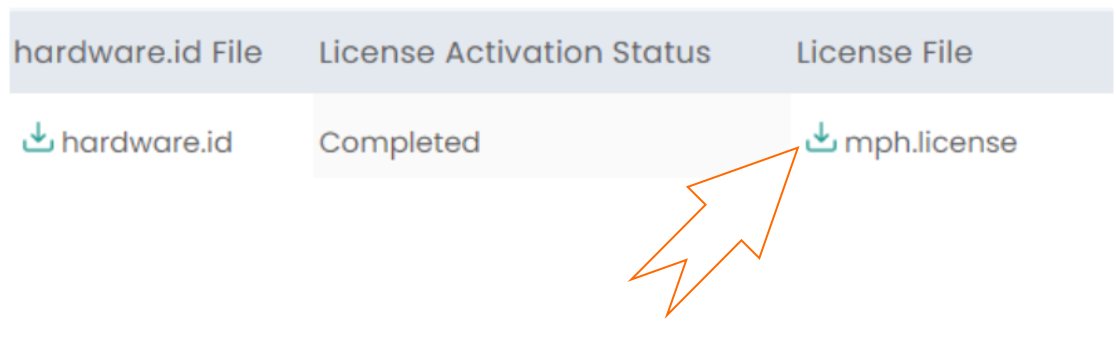
<span dir="ltr">Download the mph.license and place it in the /MP/Host folder next to the hardware.id file</span>

![](https://kb.mpmidi.com/storage/uploads/images/gallery/2025-04/1745645062-ZzjzGn29kaYPQCI2.jpg)