# 4. Show Preset Folder - Go to the MP/Host properties folder
To open the ~/MP/Host folder in Windows file explorer or the MacOS Finder:
1\. Load the MP Host plugin in your DAW and open it
2. Right-Click on the MP Host window empty area and navigate to "**Presets/Show Preset Folder**"
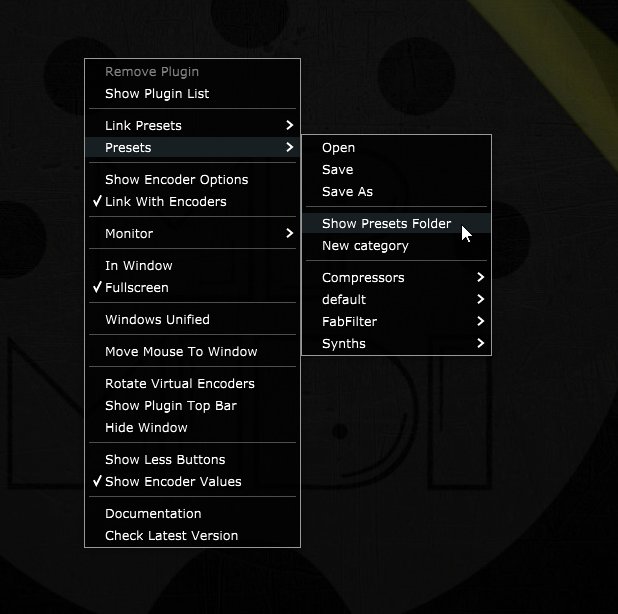
See the [full path here](https://kb.mpmidi.com/books/mp-controller-documentation/page/3-mp-host-properties-and-config-files) for Mac and Windows.
**See video** [**here**](https://drive.google.com/file/d/1QDSSx4wxByOU3TZJ4KuAgxseIx5tZFkm/view?usp=drive_link)