# 5. Uninstalling UPDD from the Mac
# Uninstall procedure
To uninstall locate and run “UPDD Uninstall” program.
Since UPDD 6.0.242 there is a shortcut icon in the Utilities folder:

This shortcut links to the actual uninstaller held in the **/library/application support/updd** folder.
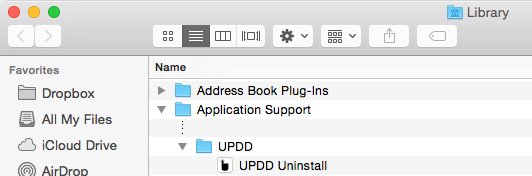
You will need to enter your login details to authenticate the uninstall request and then the
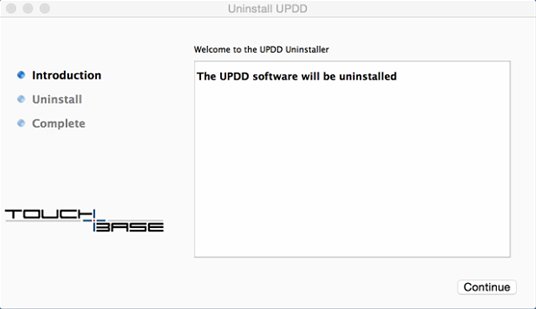
process will start. The uninstaller welcome screen is shown; click Continue.
After a few moments the completion screen is shown:
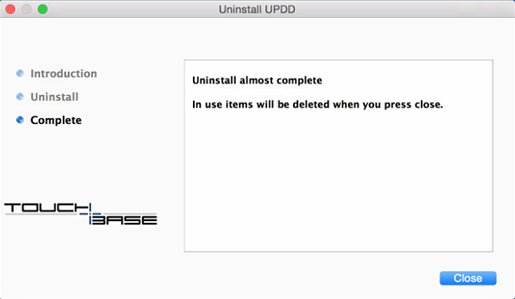
Click close to complete the uninstall.
The uninstaller also uninstalls any UPDD extensions that require the driver to be installed, such as Commander, Gestures and TUIO Server. Any start up items are removed and the applications are deleted from the /applications/utilites folder (so long as they reside in this folder!)
##### Commander gesture settings
Since UPDD v7.0.48, uninstall can optionally delete the UPDD Commander application,
gesture and actions setting as controlled by global setting updd\_commander\_uninstall\_settings
This setting indicates how UC gesture settings should be handled during uninstall
0 – Retain
1 – Remove
2 – Request (default – show dialog to confirm deletion, given that they may want to be retained)
#### **Silent uninstall**
In some cases it may be desirable to uninstall silently, especially if called from a 3rd party uninstaller
that needs to remove UPDD as part of its own uninstall. In this case call the uninstall program using the “-s” option.
*Note: An icon appears in the dock when running and some messages are output to the console*
*but we believe this should not be an issue. Please advise if it is.*