# 6. Select the target monitor for the MP Controller

The first time you load the MP Host plugin, it will be displayed on your main monitor.

You need to select the target monitor from the big window of the MP Host plugin.

Right click anywhere on the main black area of the big window and from the menu under Monitor, select the target monitor which will be the last <span dir="ltr">monitor in the list.</span>

<span dir="ltr">![](https://kb.mpmidi.com/storage/uploads/images/gallery/2025-04/1745645020-lafV6qc2kLb55Of1.jpg)</span>

<span dir="ltr">When you right click anywhere on the empty area of the main window the following menu will show up as shown in [this video](https://drive.google.com/file/d/13uPxgZVDhRoV_ZSiPc2-_MS-f7xO4eH8/view?usp=sharing)</span>

<p class="callout info">The same principle applies to other MP Controller plugins or apps. Each app has it's own properties file in the /MP/Host folder where it stores the selected target monitor.</p>

---

##### <span dir="ltr">Troubleshooting the right click:</span>

<span dir="ltr">If you don't see the menu when you right click, see the following suggestions:</span>

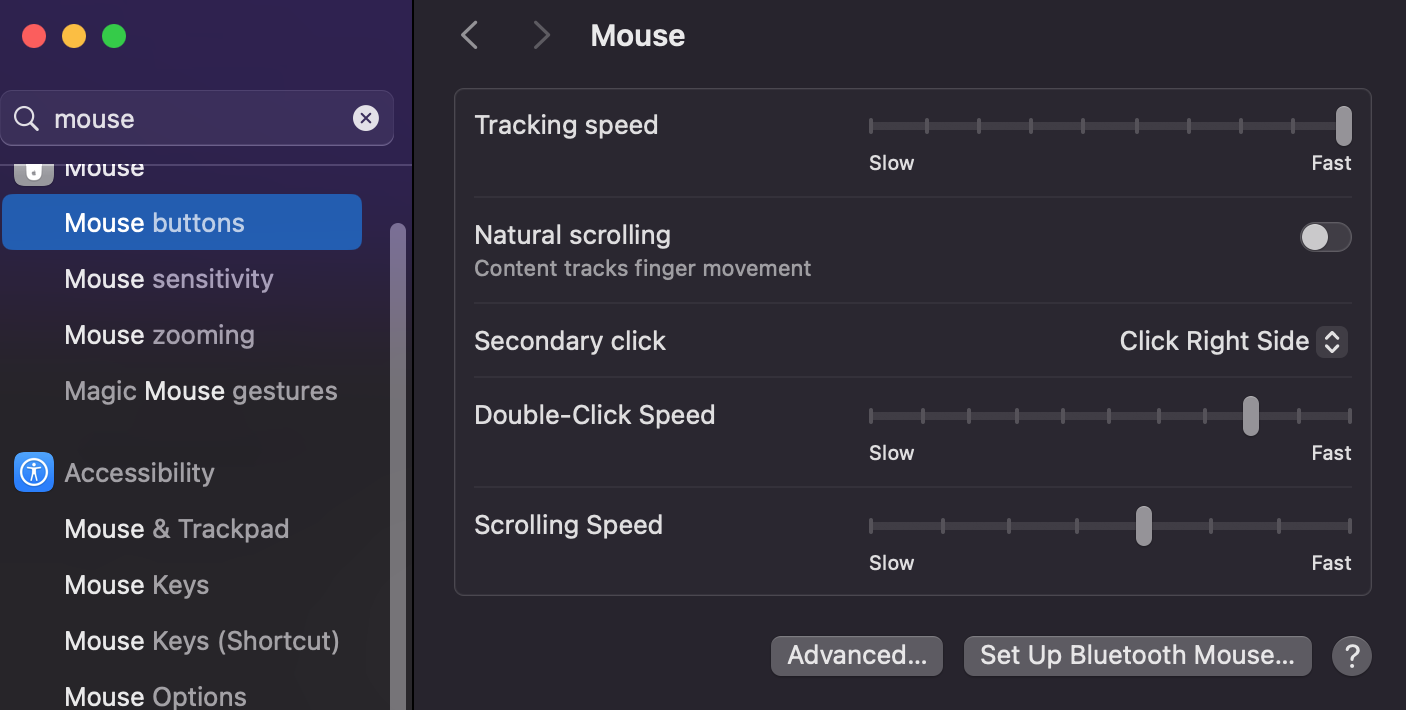
<span dir="ltr">1. On the Mac, using a Mac mouse, e</span><span dir="ltr">nsure you have set the Mouse button Secondary Click to "Click on Right Side"</span>

[![Screenshot at Sep 19 14-16-01.png](https://kb.mpmidi.com/uploads/images/gallery/2025-09/scaled-1680-/GxBMvn0RSxGCPxsk-screenshot-at-sep-19-14-16-01.png)](https://kb.mpmidi.com/uploads/images/gallery/2025-09/GxBMvn0RSxGCPxsk-screenshot-at-sep-19-14-16-01.png)

<span dir="ltr">If you are using an Apple Magic Mouse, you have to press the <span style="text-decoration: underline;">Control key</span> and hold it while you right click to generate the right mouse click.</span>

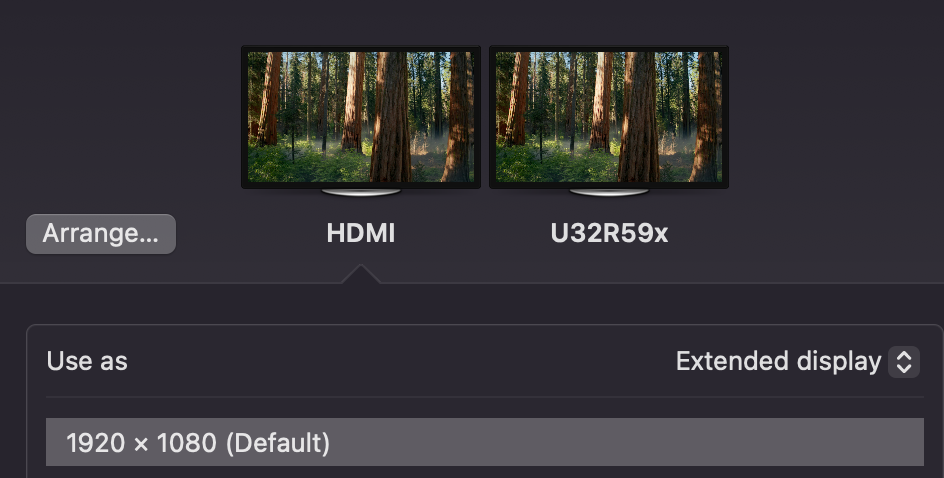
<span dir="ltr">2. The controller display should be set as **Extended Display**. Check the arrangement of your displays. It is adviced to place the mp controller left ofr theright of your main display, on Mac or Windows. </span>

[![image.png](https://kb.mpmidi.com/uploads/images/gallery/2026-01/scaled-1680-/VQJ7Kf1QIHm7Q0yC-image.png)](https://kb.mpmidi.com/uploads/images/gallery/2026-01/VQJ7Kf1QIHm7Q0yC-image.png)

<span dir="ltr">3. Try using a mouse that has a right click button instead.</span>

4\. Additionally, if you installed UPDD you can right click by touch and hold on the main area of the MP Host plugin.