25. Controlling UVI Workstation, Omnisphere by enabling Host Automation
The way the MP Controller works is by controlling automatable parameters of a third party plugin.
These are the parameters that can be automated in the DAW.
Typically, all parameters of a plugin are automatable (or at least the most)
This is a bidirectional communication method and instant. Much better than just sending CC Messages.
UVI Workstation and Omnisphere plugins require that you enable host automation in the plugin in order to automate parameters in the DAW, hence control parameters with the MP Controller.
See this guide:
Link Parameters method:
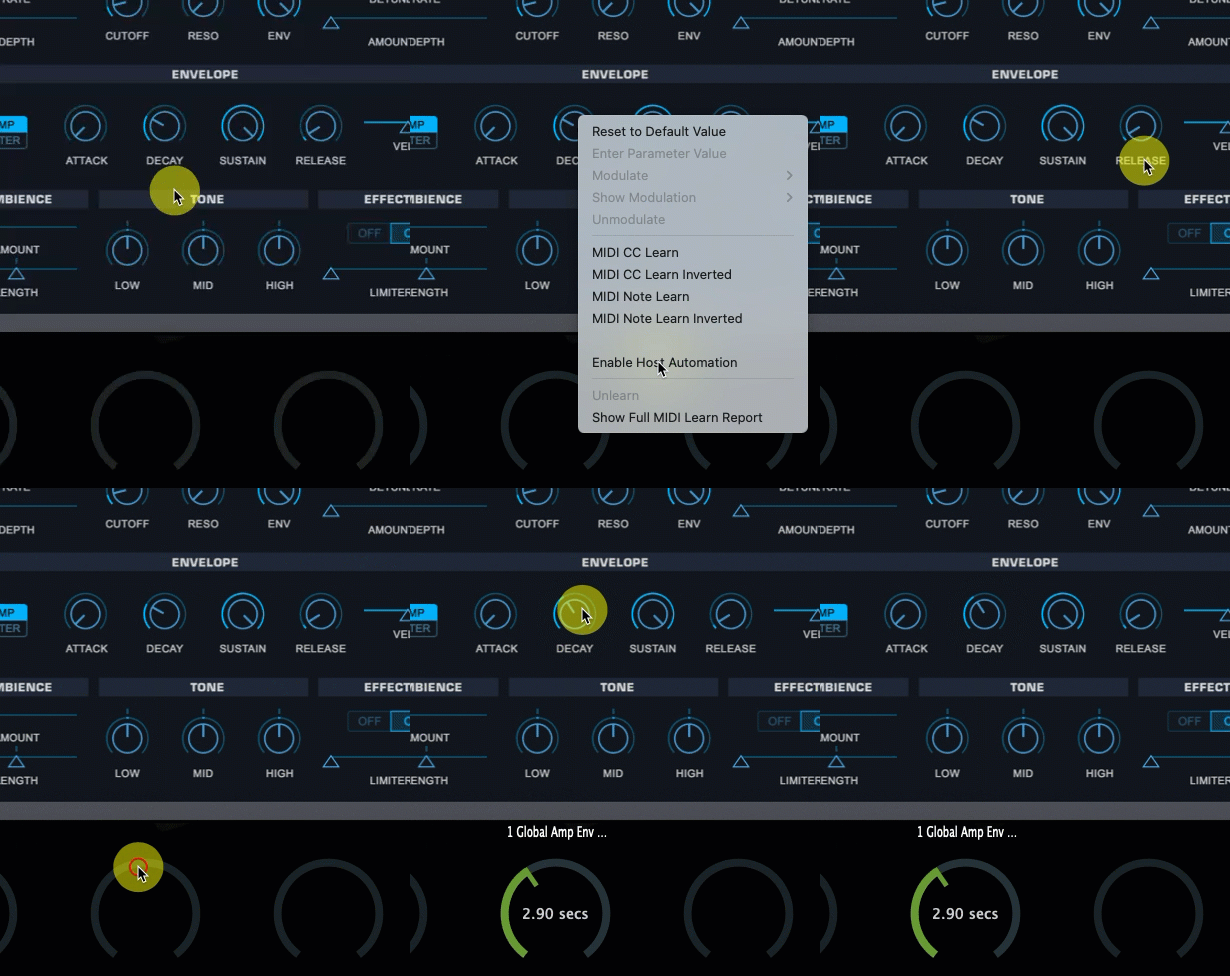
To enable Host Automation right click on the parameter you want to link and choose Enable Host Automation.
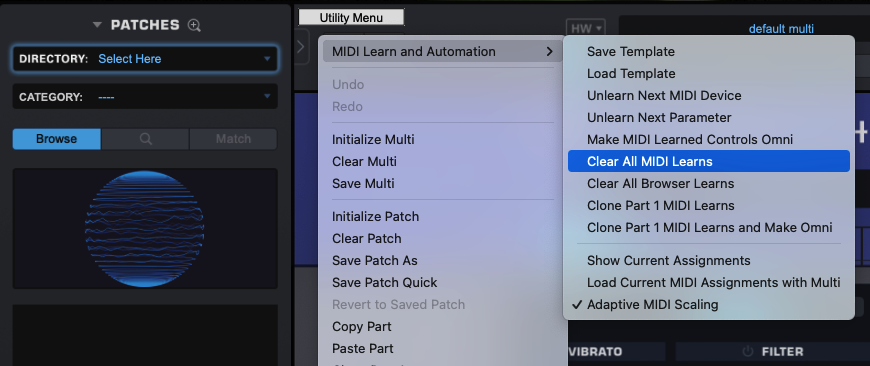
To avoid getting conflicting MIDI CC incoming messages, it is a good practice at first to clear all MIDI assignments in Omnisphere (note that this clears automated parameters assignments as well, save as template if you want to keep your assignments).
Additionally, note that as of Omnisphere V3.0.1 it only supports up to 256 of automatable parameters maximum (not 512 as stated in the Omnisphere online manual). If you link more than 256 parameters it will behave erratically and you can reproduce this behavior loaded directly in your DAW without the MP Host.