
MP Sequencer/Arpeggiator Documentation
COMING SOON! As a standalone app and VST3/AU/AAX plugin.
If you own an mp controller and want to join the Beta program of the MP Sequencer/Arpeggiator send us a message
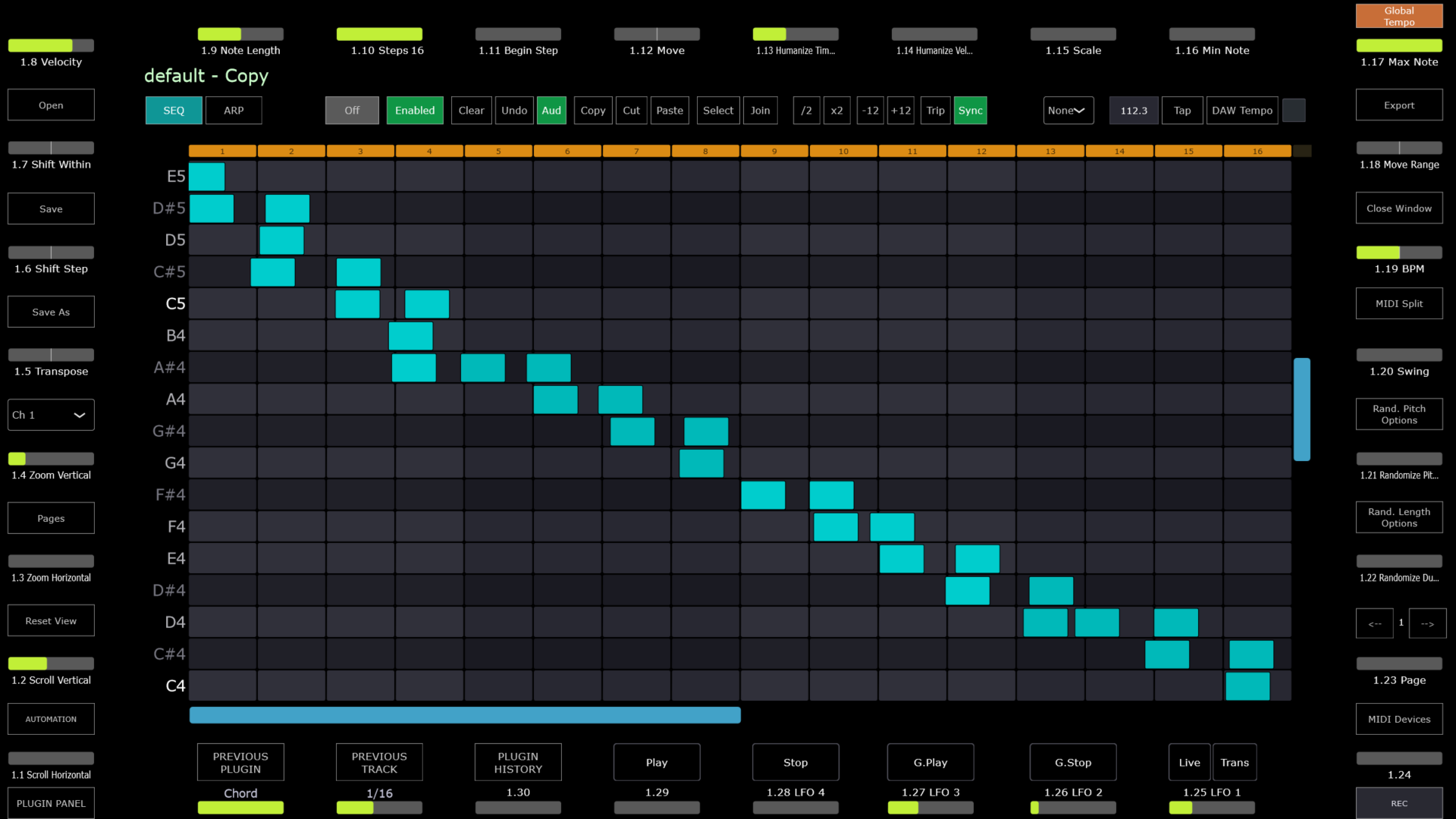
Modes
The MP SEQ is a sequencer and arpeggiator plugin and standalone app that consists of 32 sequencers and 32 arpeggiators. Furthermore, there are Scenes where you can set to play the sequences as you like.
The sequencer has a main central grid where its cells can be drawn using the mouse of the touch screen of the mp controller.
Each page is a separate sequencer or arpeggiator and each has its onw MIDI device configuration so it is possible to send out each sequence to different MIDI ports, including hardware synthesizers which are connected to your computer via USB (give they support MIDI).
There are 2 ways to play the sequencer, via its drawn cells or by triggering each sequencer using a MIDI keyboard.
There are 2 Sequencer Modes:
SEQ - this mode simply plays the cells of the grid/page you are current on when you press Play. It also plays the grid and transposes it when a midi note is received and set to a mode (Trigger, ReTrigger, Latch, Play).

G. SEQ - stands for Global Sequencer mode. It plays the grid of all pages and transposes it when a midi note is received and set to a mode (Trigger, ReTrigger, Latch, Play). Pages needs to be set to Enabled and have the same MIDI input port (MIDI Devices button) for the MIDI keyboard you are using.
This means you can play a note on your MIDI keyboard and play at the same time 32 sequences where you can send each to a differen MIDI Channel and/or Port. You can send MIDI to your DAW and filter via MIDI port and Channel, and in combination you can send it to other hardware like Synths, Drum Machines etc.
ARP - The Arpeggiator will play different patterns which have be selected using Encoder 32. The rate of the pattern can be selected using Encoder 31.
ARP L - The Arpeggiator latches (holds) the notes so you don't have to hold them on your keyboard and when you play the next notes it switches, like a standard arpeggiator.
G. ARP - In this mode the arpggiator will play all pages that are set to ARP and have a pattern selected using Encoder 32. This mode does not need pages to have the same MIDI input device.
G. ARP L - Is the same as G. ARP however the notes latch (hold) so you don't have to hold them on your keyboard.
The Grid
Each Sequencer page has its own grid. It is possible to copy and paste cells from one grid to another.
Click or touch any cell to draw a cell. Click again to delete it.
Ctrl + Click to select cells.
Holding shift select multiple cells, vertically and horizontally.
Alt Click and drag changes the velocity and length of the cell.
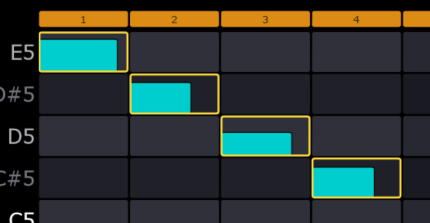
Click Select and then click on any cell to select it. Selected cells have a yellow background.
The grid steps are on the top row and the step length of the sequencer can be set by Encoder 10 - Steps.

You can also devide or double the steps by 2 using these buttons 