
4. Mac - Model 1A+/2A : Troubleshooting the Touchscreen
You need Mac OS Mojave or above for the touch function to work.
The touchscreen should still function as a large touchpad, allowing you to control the mouse cursor on the display where it is currently located. If it is not, do not install UPDD or the Touch Utility. Proceed with this troubleshooting guide first.
UPDD or the Touch Utility does not have to be installed for the Mac OS to detect the Touchscreen hardware.
When you first connect the controller, the touch function will move the mouse cursor at the current display. It will not move the cursor automatically to the controller display. To move the cursor automatically to the controller display install the Touch Utility
or UPDD
First, we need to check if the Mac OS finds the Touch hardware.
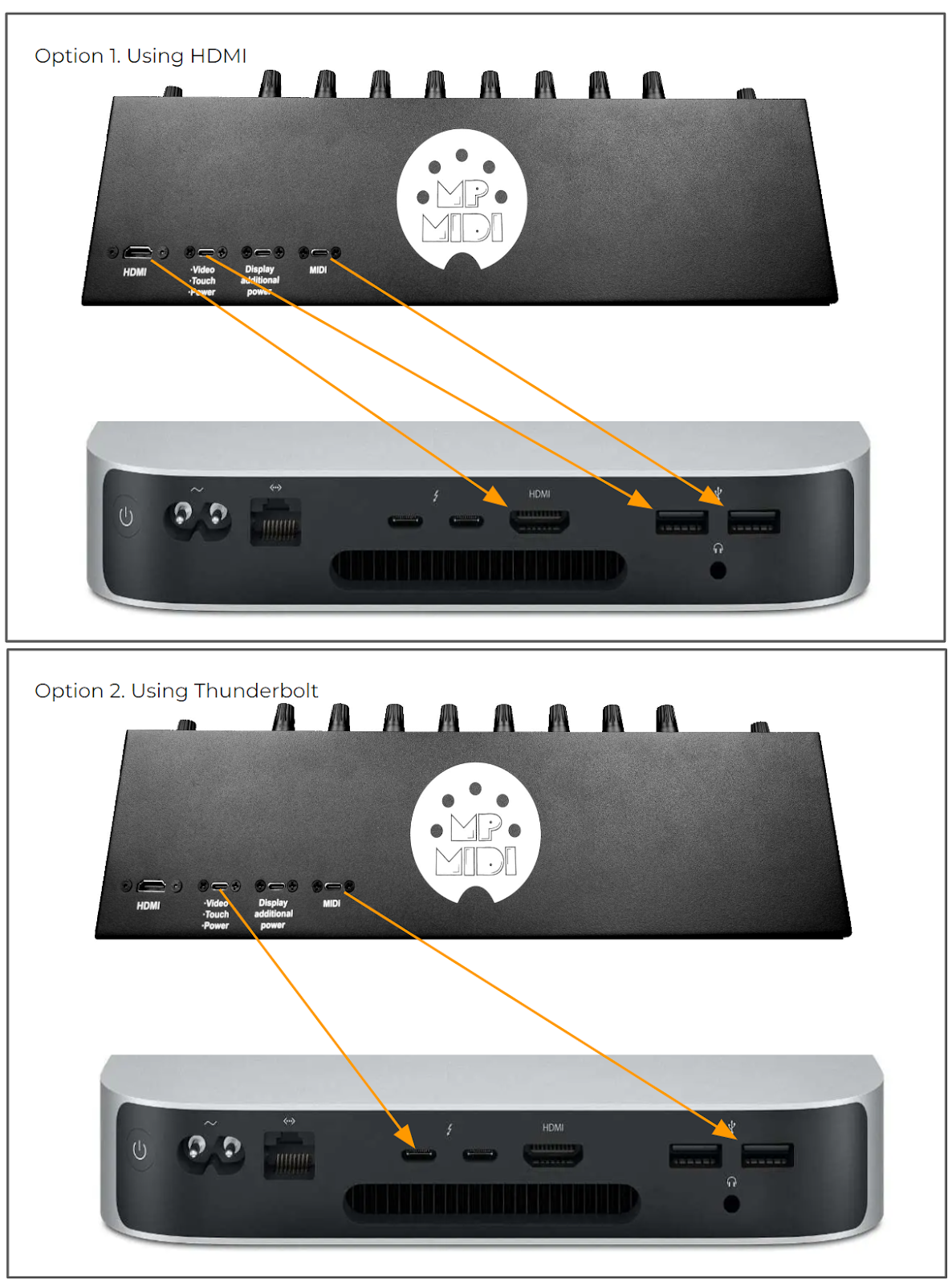
Test with HDMI and USB-A.
1. Connect USB-C to USB-A cable directly to the Mac’s USB port without going through a hub. If your Mac does not have a USB-A port you can use a USB hub.
2. Then connect the HDMI for video signal (if there is no video signal the monitor will power off).
Alternatively to the hdmi, you can try a Thunderbolt (USB-C to USB-C) cable directly on the Mac, but the best method to test is with the provided USB-A cables. You can also connect the USB-C directly to the LCD board (rack mounting connection) as shown in this video
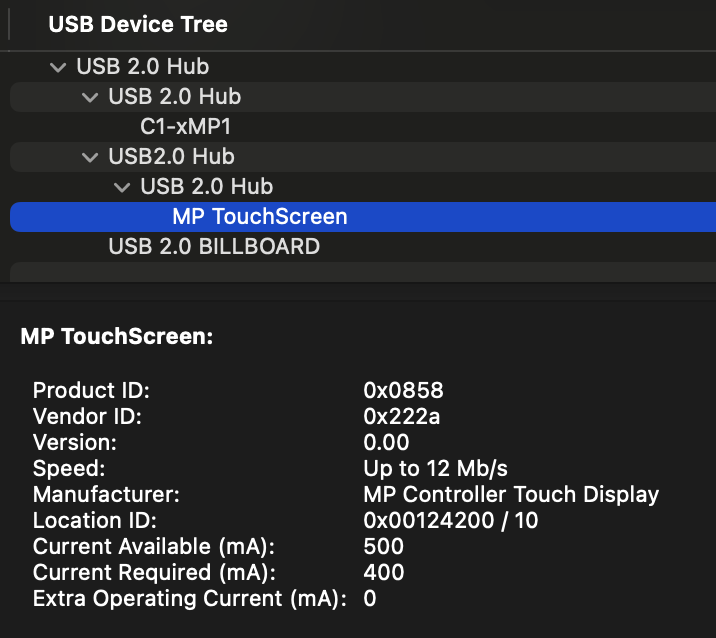
3. Open the System Report of the Mac and check under the USB Tree, it should display
----------------------------------------------------------------
MP Touchscreen
Manufacturer: MP Controller Touch Display
----------------------------------------------------------------
Alterantive connection method, see the connection diagram for direct board connection (Rack Mounting Configuration).
Alternatively to opening the System Report (needs to reopened every time you unplug a USB device), you can download 'this' small utility app (right click and click "save link as..." to download it) which when you run it, it shows if the MP Controller’s touch software is properly connected and found by Mac OS.